← Heat pumps & ventilation
Mitsubishi Electric / Everyday guides
Wi-Fi Control easy setup
A quick setup guide for the MAC-588 Wi-Fi interface. Check the interface model fitted to your system before following these steps.
Read the manufacturer document.
Browse it here, or save the original PDF for later. Equipment and availability are confirmed in your quote.
Read this page as text
WI-FI INTERFACE EASY SETUP
Connecting to Mitsubishi Electric Wi-Fi Control has
never been simpler. Users can come home to total
comfort by connecting to Wi-Fi Control via a few simple
steps on their phone, tablet or PC.
Simple Access Point Pairing
The latest Wi-Fi Interface simplifies the setup process
significantly, allowing users to effortlessly configure it
using their smart phones or tablets. Additionally, the
introduction of scanning the QR code further enhances
the simplicity of the setup process. For those with a
WPS router, the traditional WPS Push Pairing can still
be used to connect to Wi-Fi Control.
Router Compatibility
The new Wi-Fi Interface can be connected to routers
with or without WPS functionality; meaning more users
will be able to quickly set up Wi-Fi Control.
Note: router must be WPA2-AES 2.4GHz enabled first.
Discreet Mounting
For improved aesthetics, the new Wi-Fi Interface can
be mounted on the outer side of the indoor unit with a
special clip and holder that comes with each Interface.
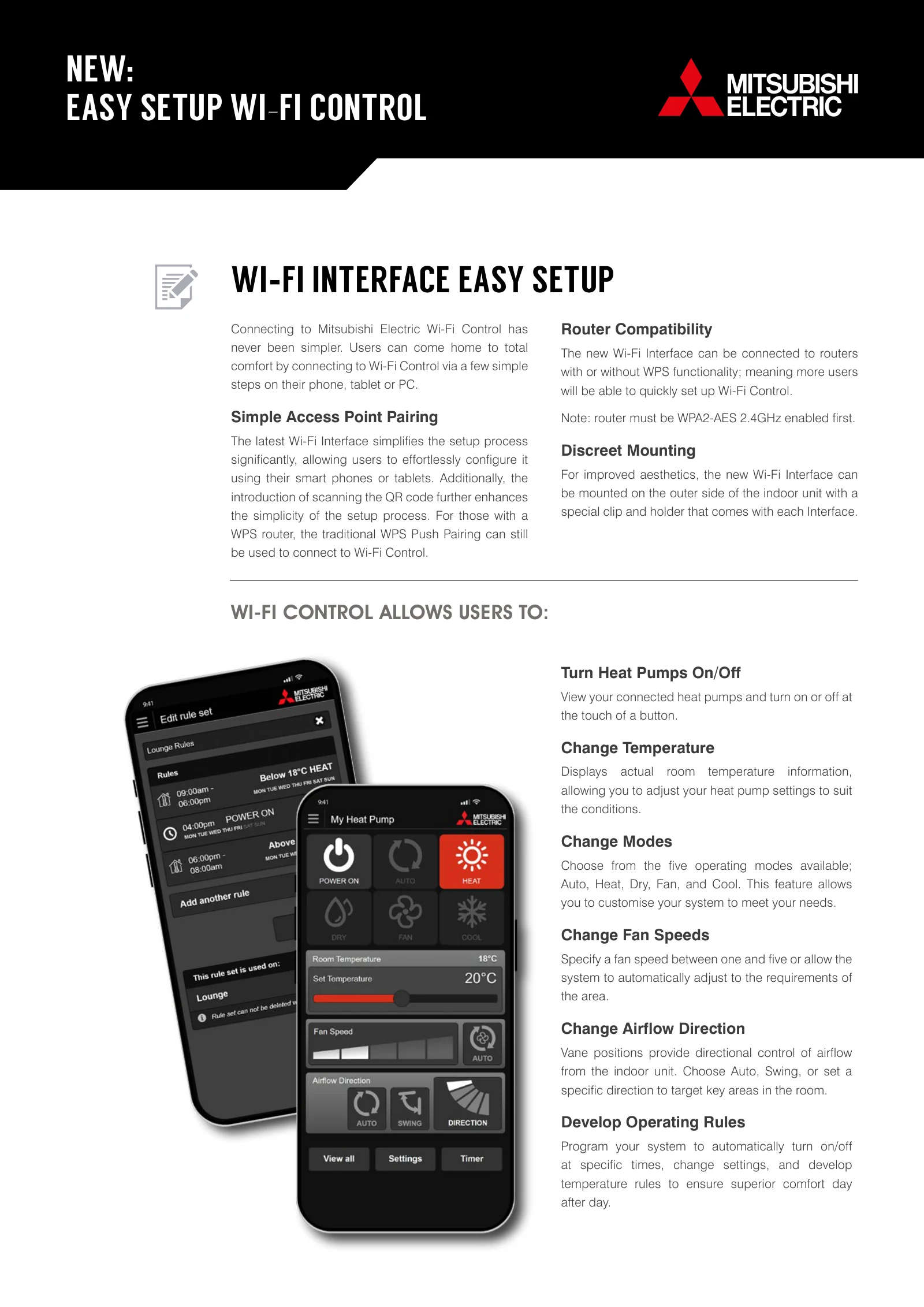
Turn Heat Pumps On/Off
View your connected heat pumps and turn on or off at
the touch of a button.
Change Temperature
Displays actual room temperature information,
allowing you to adjust your heat pump settings to suit
the conditions.
Change Modes
Choose from the five operating modes available;
Auto, Heat, Dry, Fan, and Cool. This feature allows
you to customise your system to meet your needs.
Change Fan Speeds
Specify a fan speed between one and five or allow the
system to automatically adjust to the requirements of
the area.
Change Airflow Direction
Vane positions provide directional control of airflow
from the indoor unit. Choose Auto, Swing, or set a
specific direction to target key areas in the room.
Develop Operating Rules
Program your system to automatically turn on/off
at specific times, change settings, and develop
temperature rules to ensure superior comfort day
after day.
WI-FI CONTROL ALLOWS USERS TO:
NEW:
EASY SETUP WI-FI CONTROL
Document supplied by Mitsubishi Electric / Black Diamond Technologies. Copy checked 5 November 2026. Printed dates and model-specific notes appear in the document.
Have plans or photos?
New build or renovation, builder or homeowner — send what you have. A floor plan, sketch or a few room photos gives us somewhere to start.